Banana Tree Run AI: Make a Banana Leaf Video
Make a Banana Tree Run AI video with a person or pet. Choose identity references or prepare a banana leaf opening frame, then prompt the run and leap.
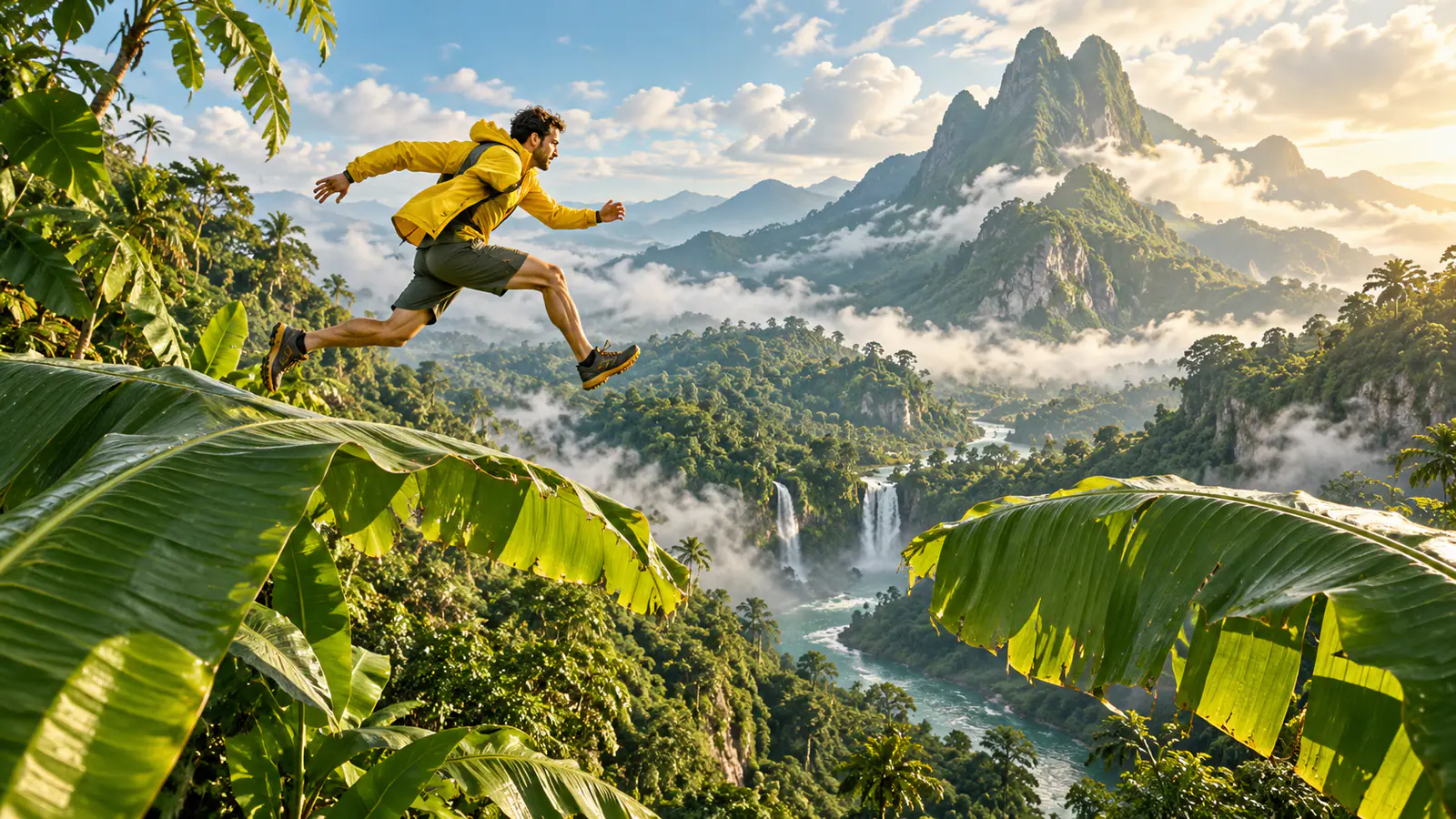
The Banana Tree Run look works because the subject appears to move across a row of giant banana leaves, not because the scene is packed with detail. When it goes wrong, the usual problem starts before video generation: the reference photo hides the feet, gives the subject nowhere to travel, or asks the motion to begin at the edge of the frame.
Separate the identity photo from the opening composition. A normal portrait can guide who runs in a reference-image workflow; a start-frame workflow needs an image that already shows the runner on a banana leaf. Decide which route you will use, then describe one journey: start on a broad leaf, run rightward, leap and land.
This guide covers two separate use cases—one for a person and one for a pet—plus the fixes that save a weak first attempt.
Build the shot before you generate
A convincing banana-leaf run needs four decisions in the still image. They matter more than adding a long list of visual adjectives later.
Show the whole body
For a person, include the head, hands, legs, and shoes. A face-only selfie may preserve a likeness, but it leaves the lower body and opening stance ambiguous. A standing or walking pose is fine; it does not have to be an actual running photograph.
For a pet, the same rule is even more important. Use one unobstructed animal, with ears, paws, torso, and tail visible. A photo taken at the pet’s eye level or from a modest side angle is often easier to turn into a four-legged run than a close-up of its face on a sofa.
Give the subject an open background
Choose a photo with uncluttered space around the subject: a plain wall, quiet path, lawn, or another simple setting. Avoid a crowd, furniture that overlaps the legs, another animal, or a busy body outline. Open space makes the starting pose legible and is easier to replace than visual clutter.
Decide the direction of travel
Pick one direction and keep it consistent across the source photo, crop, and prompt. In this tutorial, the subject moves to the right. A person’s shoulders, gaze, and feet should broadly support that direction; a pet’s nose and body should point right. This gives the video an action line rather than an ambiguous instruction to “run on banana leaves.”
Place the subject near the starting side—not against the edge
For rightward movement, put the subject around the left third of the frame and leave clear space ahead on the right. This is edge-of-frame placement: the runner has somewhere to go before the camera catches up. Do not crop a hand, foot, tail, or ear against the left border. Leave a small safety margin around the entire body, then give the larger open area to the direction of travel.
This prevents a subject from entering from nowhere or reaching the edge before the action develops. In a vertical crop, keep headroom for the leap and lower-frame room for the landing.
Choose a simple action design
Before opening a video tool, set three beats:
- The subject starts balanced on a wide banana leaf.
- It runs or bounds rightward and crosses to another leaf.
- It lands, continues forward, and the camera tracks beside it.
Use these three moments as a review plan:
| Moment | What should be readable |
|---|---|
| Start | The whole runner stands on the first leaf with open space to the right |
| Leap | Feet or paws leave the first leaf and travel in the same direction |
| Landing | The same subject lands on the next leaf with room to continue |
Favor readable motion and a stable subject over a crowded scene or extreme camera move.
Choose a reference photo or prepare the opening frame
Open VidFomo’s AI Video Generator and choose the route that matches the image you have.
With an ordinary person or pet photo: select Reference to Video and a model with reference-image inputs. Upload the photo under References. Use the person or pet prompt below to request the banana grove, opening leaf and running sequence. This route asks the model to build a new composition from an identity reference, so inspect both the opening setting and the subject’s appearance.
With a designed banana-leaf image: select Frames to Video and use that image as Start. The image should already show the full subject on the left leaf, facing right, with a second leaf and open space ahead. In a photo editor or image tool that supports reference editing, prepare and inspect this still before video generation. A still-image brief you can adapt is:
Create a vertical opening image using the reference subject’s appearance. Place the full person or pet safely in an imagined scene, balanced on a broad oversized banana leaf near the left third of the frame and facing right. Show another broad leaf ahead to the right. Keep the face or muzzle, clothing or fur markings, and every limb readable. Natural daylight, uncluttered banana grove, room above and below the subject, no text.
Correct the still if the subject, leaf or travel space is wrong. Use the motion prompt only after accepting that opening frame. An ordinary wall-background portrait placed in Start does not establish the banana-leaf opening described by this tutorial.
Use case 1: Make a person version
Start with a recent, well-lit photo of one consenting adult. A full-length portrait outdoors or against a plain wall works well. Keep the outfit recognizable and crop vertically only after confirming the full body and open space to the runner’s right.
Follow the input route above: use the ordinary portrait as an identity reference, or use an accepted banana-leaf still as Start. Choose an available vertical format for a short-form post, review the duration choices and displayed credit cost, then generate one running attempt.
Paste a prompt like this, replacing only the details that are genuinely important to your photo:
A playful cinematic vertical video of one adult person from the reference image. The person begins on a broad, oversized green banana leaf in a lush hillside grove, positioned toward the left side of the frame and moving to the right. Keep the same face, hair, outfit, and full-body proportions from the reference. They take several confident running steps, make one clear leap to the next broad leaf, then land and continue rightward. Side-tracking camera at body height, natural daylight, gentle leaf movement, clear view of the whole person, open space ahead of the runner. One person only. No text, logos, crowd, or extra limbs.
The key sentence says where the person starts and where they go. If the source faces left, either flip the image or rewrite the action to travel left.
Preview for the same person, a readable full body, a visible takeoff and landing, and room ahead of the runner. If one item fails, change the crop or one prompt line before trying again.
Use case 2: Make a pet version
Do not ask a pet to pose on a real banana leaf or stage a jump. Photograph it alone, relaxed, and on safe, familiar ground, ideally from the side or a slight three-quarter angle. Include the entire pet, including its tail; a leash, person, table, or shrub should not obscure its body.
Use the same left-to-right frame logic. Place the pet near the left third, without cropping the paws or tail, and leave empty space to the right for its forward path.
Use the pet photo under References, or an accepted pet-on-leaf opening image under Start. Keep the same input distinction as the person version. Adapt the action rather than reusing the human prompt unchanged:
A playful vertical video of one pet from the reference image in a lush banana grove. The pet starts fully visible on a wide green banana leaf near the left side of the frame, facing and moving right. Preserve the pet’s coat colors, markings, ear shape, tail, and natural size. It runs and bounds on four legs from one broad leaf to the next, makes one clear forward leap, lands with all four paws, and continues rightward. A side-tracking camera follows at the pet’s height. Soft daylight, gentle leaf movement, clear open space ahead. One animal only, no people, no clothing, no text, and no extra legs.
A pet prompt should state “four legs” and “one animal only” plainly, then name recognizable markings. If a person is holding the pet, use a different reference image.
Troubleshoot the result without starting over
The runner looks cropped or has no place to go
Return to the reference image. Move the subject away from the border and leave more area in front of the travel direction. If the body is cut off, re-crop to include it before trying the same prompt.
The motion heads in the wrong direction
Check for a mismatch: perhaps the photo faces left but the prompt says “moves right.” Make them agree, reversing the placement when the action moves left.
The figure changes during the leap
Use a sharper, unobstructed source photo. Shorten the prompt to identity, action, camera, and exclusions; a second character or multiple angles can distract from the readable run.
The person or pet gains awkward limbs
Start with every limb visible, name the exact number of subjects, and use a single forward leap. For a pet, say “runs on four legs” once. If it still looks wrong, choose a calmer pose with paws separated from the body outline.
The leaves overwhelm the subject
Reduce scene instructions. Ask for broad leaves, a hillside grove, daylight, and a side-tracking camera, then specify that the subject remains fully visible.
Finish with a real review pass
Watch the completed clip once with sound off. You should still understand who is moving, which way they are traveling, where the leap happens, and where they land. If that sequence reads clearly, the Banana Tree Run idea is doing its job.
Before sharing, make sure you have permission to use the person’s photo and that the pet is represented as safely as it was photographed: on ordinary ground, not performing the imaginary stunt. Save the version with the cleanest full-body silhouette and the most open path ahead. That is the version most likely to look intentional in a fast scroll.