How to Make the Burning Bridges AI Dance from One Photo
Create a Burning Bridges AI dance from one photo. Use a toast, search and wave prompt in VidFomo, then check identity, hands and timing.
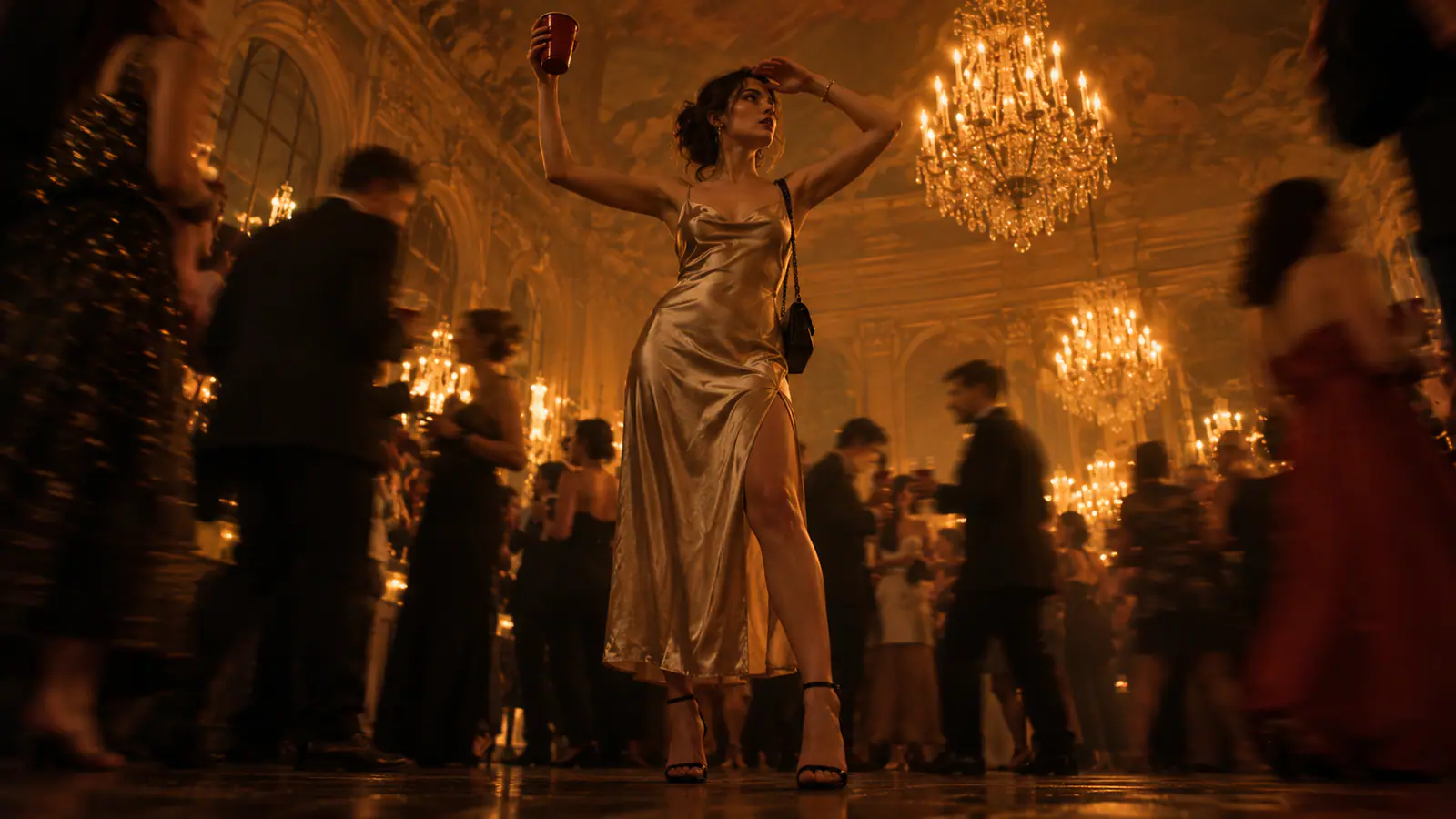
The Burning Bridges AI dance is a short party performance: raise a toast, scan the room as if looking for someone, then wave to the camera. Build the clip around those three readable gestures, one clear subject photo and a warm indoor setting. The trend name refers to the performance, so leave literal bridges and flames out of the scene.
This guide walks you through making a fresh, trend-inspired clip from one image. The goal is a readable performance that feels deliberate rather than a generic “person dancing at a party” animation.
Know the three moves before you generate
Treat the motion as a short sequence, not a loose collection of party actions. The fixed order is what makes the result read as the Burning Bridges dance:
- Raise a toast. The subject lifts a cup briefly toward the room or the lens.
- Look around as if searching for someone. Their attention leaves the lens; a hand can shade the brow while their eyes travel across the room.
- Wave. The subject finishes with a simple, clear wave toward the camera.
Keep those beats separate. Do not ask the subject to toast, search, and wave at the same time. Overlapping instructions make it harder to tell which action matters. Think of the search as the middle turn: “Cheers—wait, where is that person?”
The name comes from a music-video-style party trend, not an instruction to add flames, a collapsing bridge, smoke, or an outdoor landscape. Start with a warm indoor party, one lead near the camera, and the three gestures.
Prepare a photo that can survive movement
Your source photo supplies the face, hair, clothing, proportions, and pose. Choose it before opening the video tool.
A strong choice shows one adult person, with both eyes visible, in even light. A chest-up or half-body portrait leaves room for the cup and wave while retaining facial detail. Avoid a distant figure that makes the face tiny.
Use a simple background, neutral expression, and hands away from the face. Heavy sunglasses, hair covering both eyes, intense backlight, and beauty filters remove details the movement needs. A sharp side angle can make the search gesture look stiff.
Before uploading, make two small decisions:
- Wardrobe: A dark jacket, dress shirt, casual top, or other clean silhouette reads well against a warm party interior. Do not rely on printed text remaining accurate.
- Framing: Leave space above the head and around the elbows for a vertical crop. Do not crop at the wrists; the wave needs room.
Only animate a photo you own or have permission to use. If a friend is the lead, let them see the image and party context before you post it.
Write a motion brief, not a vague dance prompt
A good one-photo prompt names the performer, setting, camera, and action sequence. It does not need to reproduce a real video or name a celebrity to feel familiar.
Here is a starting brief you can adapt:
Create a vertical handheld party video with the uploaded person as the recognizable lead. Set the scene in a warm, chandelier-lit private dining room with dark wood details and a softly moving adult crowd in the background. Keep the lead’s facial identity, hairstyle, clothing silhouette, and proportions consistent. Use a gentle camera push-in and natural party movement behind the lead. First, the lead raises an unbranded metal cup in a short toast. Next, the lead looks around the room as if searching for someone, with the free hand briefly shading the brow. Finally, the lead turns back and gives one clear wave directly to the camera. Keep one hand responsible for the cup and the other hand responsible for the search and wave. No flames, bridges, text, logos, or sudden scene changes.
The last sentence quietly corrects the literal interpretation. Assigning the cup to one hand also reduces distracting prop changes.
For a distinctive outfit, replace “clothing silhouette” with a plain description such as “black blazer over a white shirt.” Keep it short so motion remains the priority.
Generate it in VidFomo
When the image and brief are ready, open VidFomo’s AI Video Generator. If the portrait was taken outside the intended party scene, choose Reference to Video and a model with reference-image inputs. Add the portrait under References, then use the prompt to request the new setting and performance. If the photo already has the party composition you want as the opening, choose Frames to Video and use it as the Start image.
1. Upload the cleanest version of the photo
Use the original or a lightly cropped copy rather than a social-post screenshot. Check that the face is upright and the intended subject is the only prominent person. Two people can weaken the toast-search-wave sequence.
2. Paste the brief and customize only the essentials
Change wardrobe, mood, or crowd density if you want, but leave the order intact. “Quiet confidence” or “friendly grin” is enough expression direction. Avoid unrelated requests such as fireworks, fast zooms, costume changes, and a dance battle. The lead must remain easy to read.
3. Choose settings for the destination, then generate
For a vertical short-video feed, choose vertical framing if available. Use the model and quality choices that suit your project; controls can change, so do not assume a particular model, duration, or export option. Keep the subject large enough to see the search and wave.
Generate the first version as a diagnostic pass. Check whether it follows the three beats.
Review the first result in the right order
Watch once without sound. If the story is clear while muted, it will still work when viewers encounter it in a feed with audio off.
First, check identity. Then inspect the performance in three paused frames:
| Beat | Visible checkpoint |
|---|---|
| Toast | The same cup lifts briefly while the face stays clear |
| Search | The head scans the room; the free hand has room to shade the brow |
| Wave | After the search, the free hand makes one readable wave toward the lens |
Finally, check continuity: the cup stays plausible, the hands are readable, and the background does not compete for attention.
A useful review note is specific: “The cup is good; the search is missing; the wave is clear.” That tells you what to adjust. “Make it better” does not.
Add sound only after the visuals work. Use audio you have the right to use and align the gestures to musical accents in your editor. This avoids assuming a generator includes a particular recording.
Troubleshoot the common failures
The output looks like a generic party video
The scene may have swallowed the action. Shorten the atmosphere description and put choreography in its own sentence with first, next, and finally. Ask for a medium or chest-up lead near the camera. Keep the crowd soft.
The subject raises a cup but never searches
Make the search visual: “turn the head from one side of the room to the other; lift the free hand above the eyes as if blocking light while looking for someone.” Remove other hand gestures. The search needs a free hand and a distinct moment.
The cup or hands change shape
Simplify the prop. Use “one unbranded metal cup held in the left hand throughout” and say the right hand performs the search and wave. If the source cuts off the arms, switch to a less tightly cropped portrait.
The wave arrives too early or is hard to see
Repeat the order once: “After the search, turn to camera and wave once.” Ask for a brief pause after the search. Favor a stable medium shot over a wide pullback.
The result adds a bridge or fire
Remove literal references to the phrase except the trend name outside the prompt. State the setting positively—“warm chandelier-lit private dining room”—and retain “no flames, bridges, or outdoor scene.”
Finish and post with the trend intact
Choose the version in which a stranger can identify the three actions on a first watch. Trim a slow opening, but do not cut so tightly that the search and wave blend together. A concise caption can give the search a personal joke without explaining the trend.
Before posting, check that the lead agreed to be animated, the image does not misrepresent a real event, and the audio is permitted. Then export your chosen version.
You now have the core of the Burning Bridges AI dance from one photo: not a flaming structure, but a readable mini-performance. Raise the toast, look around for someone, and wave. When those three beats land in that order, the clip has done its job.