How to Make the A2O LITE NEON AI Dance with Two Photos
Create an A2O LITE NEON inspired AI dance with two photos. Set up identity references in VidFomo, write a simple duo prompt and check both dancers.
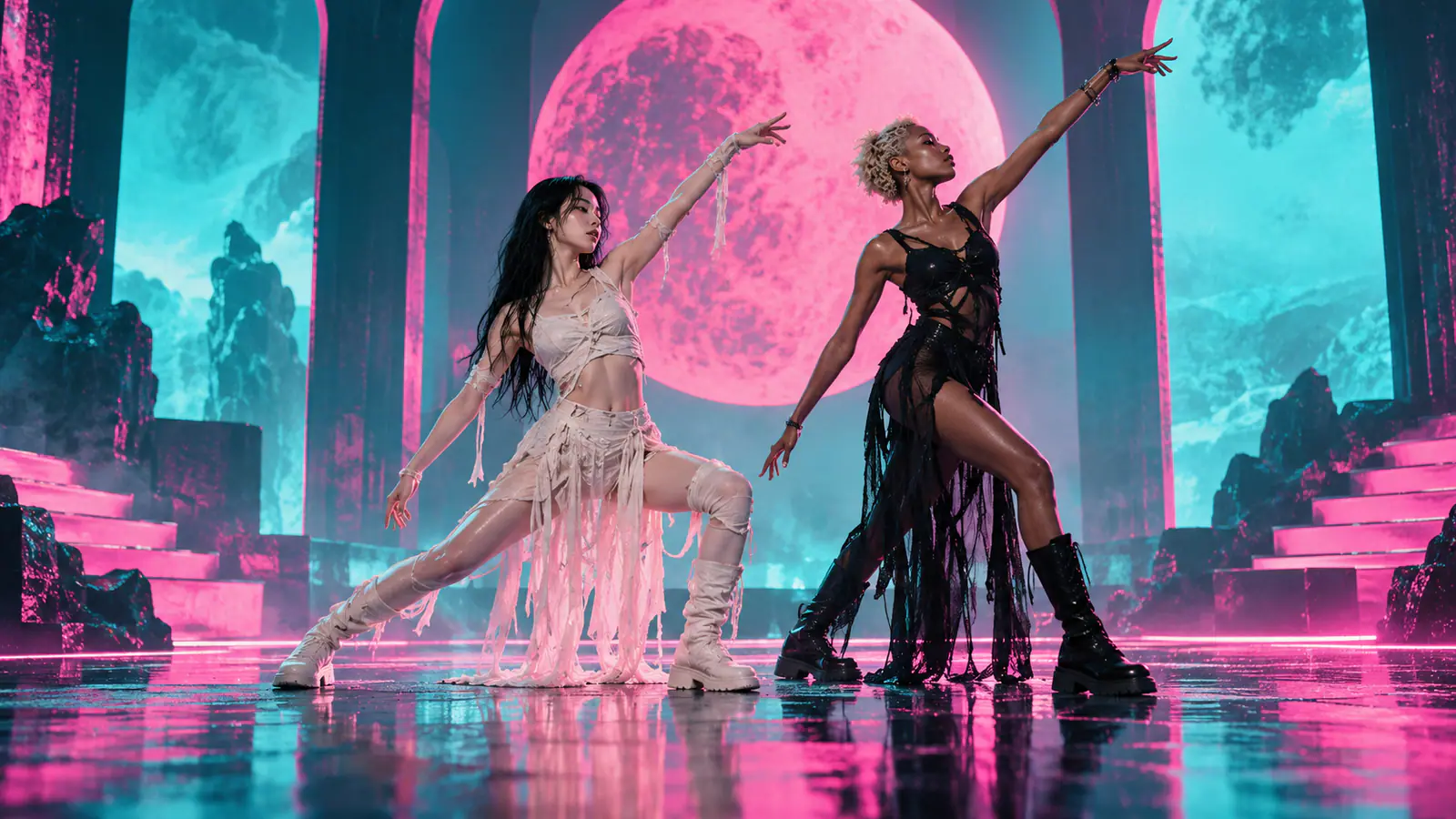
A NEON-inspired AI dance needs two recognizable performers and a motion brief that gives each one a clear role. Start with one photo per person, keep their silhouettes distinct, and ask for a short sequence you can inspect. Two photos guide appearance; they do not supply the timing or choreography of a performance.
Use the A2O LITE “NEON” official video as creative inspiration. The routine below is a simplified prompt-led variation: a shared step, a contrasting pose and a side-by-side finish. Choose the movements you want to attempt before uploading.
Prepare one photo per dancer
For this two-reference workflow, select two separate photos with one adult performer in each. Use images you have permission to animate and look for:
- A clear, unobstructed face in even light.
- A full body, including shoes, with room around the arms and legs.
- Similar camera height and a comparable amount of headroom.
- Clothing edges that separate each person from the background.
A distant full-body photo paired with a tight selfie gives uneven detail. Choose comparable sources before trying to solve identity drift with a longer prompt. Distinct outfits can also make it easier to follow who owns each arm and leg.
Assign a simple NEON-inspired duo
Name the files Photo 1 and Photo 2 in your checklist. Plan Photo 1 as the viewer-left dancer and Photo 2 as the viewer-right dancer. Treat those positions as instructions to review, rather than a result guaranteed by upload order.
Begin with a short routine:
| Beat | Photo 1 / left dancer | Photo 2 / right dancer |
|---|---|---|
| Opening | Face the camera with space around the arms | Face the camera at a similar scale |
| Shared move | Take one side step and lift one arm diagonally | Match the step and diagonal arm lift |
| Contrast | Lower into a shallow lunge | Stay upright with one raised arm |
| Finish | Return upright beside the other dancer | Return to a relaxed side-by-side pose |
Keep both pairs of feet on the same floor line. Add a turn or kick only after the simpler version keeps identities, spacing and balance readable. A brief that requests a turn, high kick, split and squat together gives you several difficult transitions to diagnose at once.
Set up two reference images in VidFomo
Open VidFomo’s AI Video Generator and follow this sequence:
- Select Reference to Video. Choose an available model that accepts at least two reference images. Frames to Video uses opening and optional ending frames; those are different jobs from two identity references.
- Add both photos under References. Put Photo 1 first and Photo 2 second. Check the preview order. Use the reference labels shown beside the images, such as
@image1and@image2, when writing the prompt. - Choose the framing and available duration. Keep enough room for both full bodies and the side step. Check the displayed credit cost before generating.
- Generate one simple motion pass. Review the shared step and contrasting pose before increasing the complexity.
Direct the sequence in the text prompt. The two uploaded images guide appearance; they do not provide a motion track. Review the output against the four beats above as a NEON-inspired variation.
Write the two-person motion prompt
After both images are attached, adapt this brief to the reference labels displayed in your form:
One continuous vertical full-body shot of two adult dancers on a simple neon-lit stage. Use @image1 as the appearance reference for the viewer-left dancer and @image2 for the viewer-right dancer. Keep their faces, hairstyles, outfits and shoes distinct. Both start facing the camera at a similar scale, take one side step together and lift one arm diagonally. Next, the left dancer lowers into a shallow lunge while the right dancer stays upright with one arm raised. Both return upright and finish side by side. Fixed camera, visible feet, clear space between bodies, no physical contact, no text or logos.
The labels associate the appearance instructions with the uploaded images. They do not lock a face to every frame. Compare the result with both source photos, especially at the lunge and return.
For the next variation, replace one beat at a time. A small turn can replace the side step, or a low kick can replace the lunge. Preserve the rest of the shot while you test that change.
Review identity, scale and hands separately
Pass 1: two identities through the motion
Compare each dancer with the intended reference at the opening, contrast and finish. Look at the face, hair and outfit together. If the identities switch, confirm the upload order and reference labels, then simplify the motion or replace an ambiguous source image. More reference photos do not automatically solve a confusing pair.
Pass 2: body scale and the floor line
Pause at the shared step and lunge. Check head size, shoulder width and where the shoes meet the floor. If a dancer grows, floats or loses a leg, review the source framing and reduce the movement. These failures can also come from the generated motion itself; changing the crop is one possible test, rather than a guaranteed fix.
Pass 3: hands and separation
Inspect the diagonal arm lift and the moment the dancers return upright. Watch for a borrowed sleeve, fused hands or one arm crossing through the other body. Keep the first routine free of hand-holding or crossed-body contact. Ask for a little more spacing if the silhouettes merge.
Fix the failure before adding a harder move
- One dancer borrows the other’s face: confirm reference labels and order, use more distinct sources, and shorten the routine.
- The motion becomes a random dance: reduce it to the shared step and final pose, then add the contrast back in.
- A kick causes unstable legs: return to the shallow lunge or lower the kick. Keep both feet visible in the sources and preview.
- The pair changes size: use similar source framing and a fixed camera; review again at the transition.
Save a version only when both performers remain recognizable across the entire clip. Add music separately using audio permitted for your intended destination. Keep the version whose shared step, contrasting pose and return remain readable on a first watch.