Halloween AI Video Ideas: 3 Spooky Photo Prompts
Explore three Halloween AI video ideas: a zombie dance, zombie love story and werewolf transformation, with photo setup, prompts and editing steps.
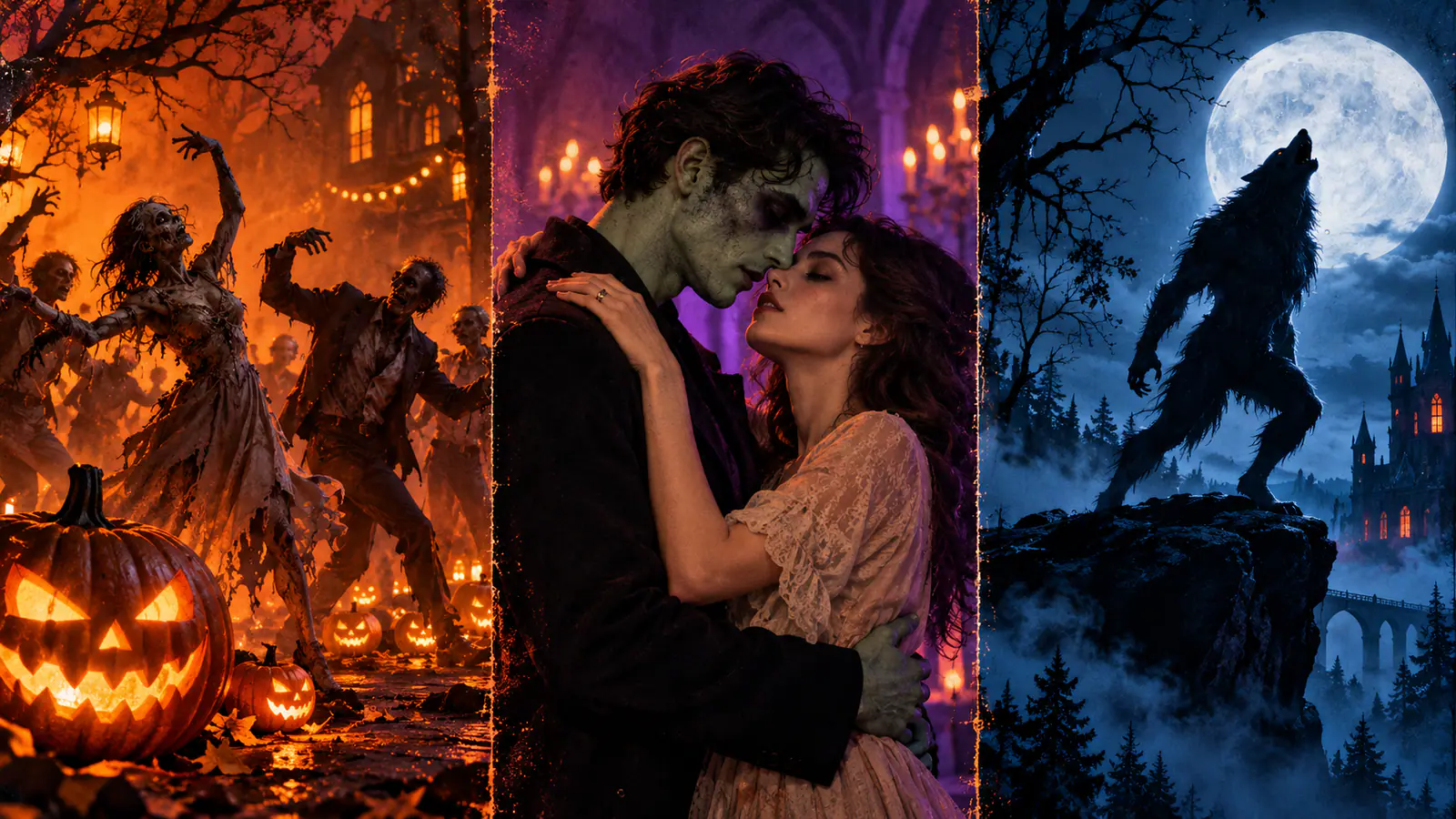
You have a few photos, one evening, and three very different Halloween jobs. A group clip can make a party feel underway before guests arrive. A horror romance can earn a pause in a social feed. A transformation can introduce a character worth remembering. Pick the job first, then give the generator one clear action to solve.
Choose by people, payoff, and where it will be seen
| Your starting material | Best format | Finished effect | Best use |
|---|---|---|---|
| Three or more people, or a cast you can stage together | Zombie / thriller dance | Energy and a clear opening image | Party invite, group social post, event teaser |
| Two people in one reference frame | Zombie love story | A tiny story with an emotional turn | Social post, couple or friend tribute |
| One person with a clear face and silhouette | Werewolf transformation | A focused character reveal | Character sketch, costume reveal, personal post |
The routing rule is simple: the more people a scene must identify and coordinate, the less plot it should carry. A dance can sell a party in one beat. A love story needs two readable characters and one decision. A transformation works because viewers can follow one identity as it changes.
Write a two-line brief before you make anything: who will see it, and what should they feel or do next? A party invite must deliver date, place, and RSVP details after the action. A social post needs a strong first frame and one surprise. A character sketch needs a recognisable face, costume, and final pose.
Prepare a frame that can survive motion
Motion is easier to direct when the first frame has already settled identity, wardrobe, lighting, and composition. Avoid a distant group photo, a crowded collage, or hidden faces.
Decide on the costume before you shoot the reference. Build the look around one signature item instead of piling on unrelated horror details: a torn varsity jacket for a dancer, a shared pale scarf for the pair, or a leather collar for the werewolf. Keep the planning background plain, then make one final reference frame with the people and clothing you want carried into motion.
For every format, get permission from identifiable people and agree on the horror level. Use even light and readable faces. Pick the destination framing before generation: vertical for story-led social placement, wider when the group line matters. Name the details that must stay recognisable—hair, clothing, pose, or setting. Finally, keep event details out of the generated action. Add dates, captions, and RSVP instructions afterwards where you can proofread them.
Once the frame and motion brief are ready, open VidFomo AI Video Generator. Choose Text to Video for an invented cast. Choose Frames to Video when your prepared image already shows the opening people, costumes and setting; upload it as Start. Choose Reference to Video when you want to guide identities while requesting a new setting, using a model that accepts the required reference images. Then select the available framing and duration, review the displayed credit cost, and generate one short attempt.
Option 1: The zombie dance for an invitation with a pulse
Choose the dance when you have a group, a venue, or an announcement to energise. The useful version is not a full music video. It is a strong tableau followed by one original, repeatable move: heads turn to camera, arms rise together, the line steps forward, then everyone freezes.
Stage one beat, not a full routine
Arrange people in a shallow line or loose triangle. Give each a distinct silhouette but keep the palette narrow. A front porch, gym, or faux graveyard is easier to read than a busy room. Ask for a fixed wide shot or a slow push-in, not several camera moves.
Four adult friends in coordinated, playful zombie costumes stand in a shallow triangle outside a warmly lit Halloween party entrance. They turn toward the camera, perform one original synchronized eight-count with stiff shoulders, two side steps, and raised hands, then freeze in a comic undead pose. Slow forward camera movement, purple and amber lighting, readable faces and costumes, no text or logos.
For a photo-led attempt, use a prepared group image as Start and change the first prompt sentence to “Animate the four adults in the uploaded opening image.” For an invented group, use the written prompt in Text to Video. Review the cast count at the start and freeze before accepting the take.
For a party invite, the freeze is the handoff: cut there and add the practical details on a still or clean title card. Keep choreography original; do not request a particular performer’s routine or a copyrighted song’s staging. Before posting, check that viewers can recognise a party in the first frame and read the information without pausing.
Option 2: The zombie love story for a post with a turn
Use this route when the relationship is the point. It needs two people together in one clear reference frame, facing each other or occupying distinct sides of the composition. One composed pair image anchors the story better than two unrelated close-ups.
Build four beats: recognition, hesitation, contact, then a warm memory. There is no need for dialogue, a crowd, or apocalypse lore. The contrast does the work: cold and desaturated in the present, then soft and warm in the memory.
Make the embrace the transition
One person notices that the other has changed. An outstretched hand, pause, or step closer shows the decision. At the embrace, transition into the same pose in an earlier, happy place. Keep the infection suggestive rather than graphic for a general party or social audience.
Animate the two adult partners in the opening image on a rain-dampened street at dusk. One has a subtle undead appearance; the other recognizes them, hesitates, then steps closer for one clear embrace. Keep both faces, hair, clothing colors and left-right positions recognizable. Slow, intimate camera movement; one continuous scene, no weapons, gore, text or logos.
Use a prepared pair image that already establishes the cold street scene as Start. If your couple photo shows a different location, use it as an identity reference to prepare that opening image before animating it.
Make the warm memory as a second clip when one generation cannot keep the setting change and identities clear. Prepare another opening image of the same couple in a warm garden, then animate it with:
Animate the same two adults from the warm garden opening image. They move gently into an embrace and share a small natural smile. Preserve both faces, outfits and positions. Soft golden light, a slow camera move, no text or extra people.
Join the two clips at the embrace in a video editor. The matched pose supplies the transition, and you can review each scene separately before assembling the story.
Do not ask for terror, a chase, infection, backstory, romance, and flashback in one breath. Keep the present scene to one exchange and the memory to one payoff. Add a one-sentence caption and, if appropriate, a content note. This format needs its own ending, so it is a poor fit for a detailed invitation.
Option 3: The werewolf transformation for a character sketch
Pick the transformation when you have one striking portrait and want a character rather than a plot. Begin with the person mostly still. Give the change one direction: eyes catch moonlight, posture tightens, fur or ears emerge, hands become clawed, and the figure lands in a side-lit pose. The human should remain recognisable at the start and the creature clear at the end.
Protect identity with a restrained change
Use a moonlit treeline, empty corridor, or porch rather than a busy background. Request a partial change when the face matters most, or a fuller silhouette shift when the final look is the point. Do not combine wolf anatomy, vampire teeth, skeletal makeup, lightning, and multiple costume changes.
One adult character from the reference portrait stands beneath a full moon at the edge of a quiet forest, wearing a dark jacket and black boots. The camera holds a medium three-quarter view as their eyes brighten, shoulders broaden, fur appears along the jaw and hands, and pointed ears emerge. Preserve the person’s recognisable facial structure and outfit silhouette, then end on a confident werewolf stance. Cool moonlight, subtle mist, no gore, text, or logos.
For a portrait already in the intended night setting, use it as Start and reduce the transformation to eyes, ears and a little jawline fur first. If the original is a daytime portrait, use it as an identity reference to prepare the moonlit opening, or try Reference to Video with the scene brief above. Review the human opening and creature ending as two separate checkpoints before requesting a larger change.
The final still can become a profile image, poster crop, or carousel opener. If you later adapt it as an invitation, add the event information outside the transformation.
Run a focused generation pass
- Choose the input mode and add the matching material. Start needs the opening scene; References guide the people; Text to Video starts with an invented cast.
- Set the destination first. Choose the available framing and duration controls for the placement you planned.
- Give one action, one camera instruction, and one ending pose. Those elements create a beginning, movement, and usable cut point.
- Preview for continuity, not just spectacle. Check faces, number of people, hands, clothing, action, and the final frame.
- Revise the smallest broken thing. Simplify a loose dance, clarify the pair’s first frame, or reduce facial changes in the werewolf version. Keep the rest of the prompt intact.
Changing character, setting, camera, colour, and ending at once makes every result a new experiment. A controlled revision tells you what actually improved the clip.
Troubleshoot the result you have
Dancers wander instead of moving together. Reduce the cast, use a fixed or slowly advancing camera, and describe one countable phrase. Four people doing two side steps is clearer than a “wild zombie dance party.”
The romance feels like two strangers. Start from one composed pair image. State their relative positions and one shared visual detail, then reserve the emotional turn for the embrace and memory.
The werewolf becomes a different person. Tighten the starting portrait, name the features to preserve, and request a partial change first.
The Halloween look is muddy. Choose two lighting colours and one costume texture. A long list of neon, flames, moonlight, fog, rain, and strobes is not a usable visual direction.
The invitation information is unclear. Do not regenerate the monster scene hoping text will improve. Add details, captions, and an RSVP instruction after the visual clip is approved.
Finish with the right ending
The last frame should give you somewhere to go: invitation card for the dance, warm memory for the love story, final silhouette for the werewolf. Export the approved cut, add the destination-specific information, then watch once with sound off. If the action, mood, and next step still read, you have made the Halloween video that fits the people and purpose you started with.