How to Make a Gangnam Style AI Trio Video with Your Friends
Make a Gangnam Style AI trio video with friends: choose clear photos, assign each person a role, review the full clip, and prepare it for sharing.
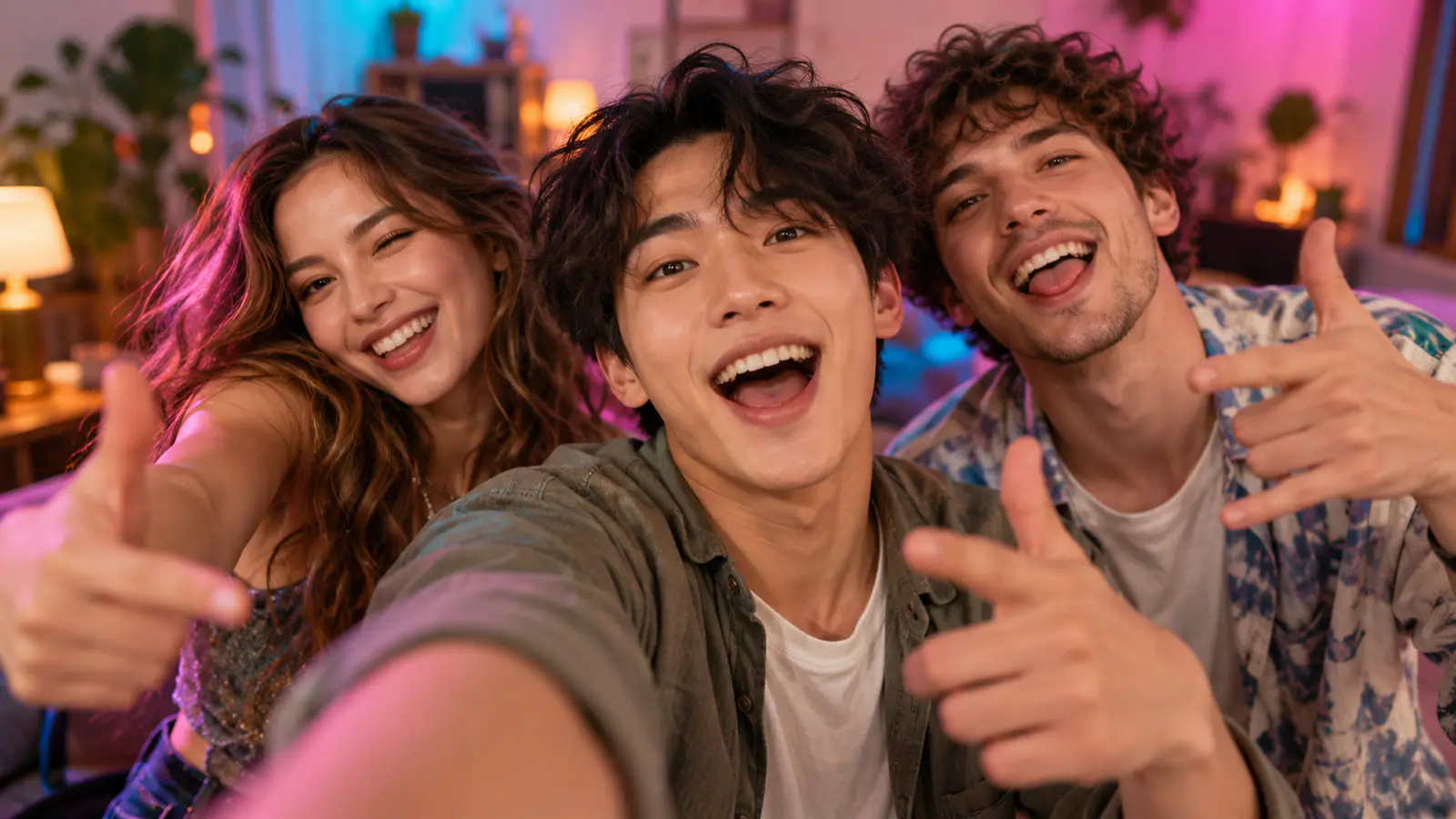
The best trio videos do not feel like three separate photo animations pasted together. They feel like one friend grabbed the phone, pulled two others into frame, and gave everyone a brief chance to be the main character.
That is the idea worth preserving when you make a Gangnam Style AI trio video. The reference is a shared, close-up selfie scene: three people crowd the frame, react to one another, take turns leaning toward the camera, and come back together. It is not simply three people performing a full horse-riding dance routine. Get that distinction right before you choose photos, and the finished clip will feel far more intentional.
This guide walks through the practical choices that make a friend-group version readable, personal, and worth sharing.
Start with the trio, not the generator
A recognizable group dynamic is doing more work here than a clever prompt. Pick three people who make sense together on screen: close friends, siblings, teammates, or the three personalities everyone in the group chat already knows.
Give each person a loose role before you upload anything. One person can be the natural lead who is most comfortable near the lens. The others need not “act” in a traditional sense; their value can be contrast. A quiet friend with a dry expression beside an animated friend creates an easy visual joke. Three nearly identical headshots do not.
Ask each person before using their photo. That is not just a courtesy. A trio clip works because viewers recognize the relationship between the people in it, so the people in it should be comfortable with where and how it will be shared.
Understand the scene you are making
A useful reference sequence has four visual beats:
- A shared opening establishes all three faces in one frame.
- A turn toward one side performer gives that person a moment.
- A different close-up or reaction keeps the camera from feeling static.
- A return to the lead or the full group gives the clip a finish.
The exact gestures can change, but the camera logic should stay easy to follow. Viewers should never have to wonder who they are looking at or why the camera moved. This is why the format works better as a small sequence of introductions and reactions than as an attempt to recreate an entire music-video dance.
Pick photos that survive a close-up
For this format, the source photo is not merely a face reference. It has to carry identity through a moving close shot. Choose a recent, sharp photo where the person is immediately recognizable and their whole face is visible. Even lighting, visible eyes, and a natural expression will usually give the generator more dependable material than an artistic night shot or a heavily filtered selfie.
Keep hands, hair, masks, dark sunglasses, and hard shadows away from the face. Also look beyond the face. A familiar hairstyle, jacket, jersey, or everyday color can help friends identify the cast at a glance when the shot changes quickly.
Individual portraits are often the clearest choice because each person has an unambiguous reference. If you use a group photo, make sure the intended person is large enough in the crop and not partly hidden behind someone else. Do not rely on the thumbnail in your camera roll; open the image at full size and inspect it before uploading.
A quick photo check before you generate:
- Can you see both eyes and the outline of the face clearly?
- Is the photo bright enough to show hair and facial features without guesswork?
- Does each person have at least one visible detail that separates them from the others?
- Would a friend recognize this person instantly, even on a small phone screen?
If the answer is no, switch the photo now. Retrying with a stronger image is usually more useful than trying to rescue a weak one later with captions or filters.
Decide whether you need a preset trio workflow
There are two different jobs that get called “making an AI video.” A general image-to-video model is useful when you want to direct the setting, camera, movement, and visual style yourself. A preset scene is useful when the format itself is the point and you want to spend your time choosing the cast rather than writing a motion prompt.
For the latter, Gangnam Style AI Trio is a focused option. Its current workflow lets you select up to three clear portraits or group photos, check the preview and crop, review the displayed format and credit cost, then submit through a preset routine without writing a prompt. It is a natural fit when the desired result is a ready-made three-person selfie scene rather than an open-ended animation experiment.
That division matters. Use a prompt-driven tool when you need custom choreography, a new location, or precise camera direction. Use a trio-specific workflow when your creative decision is mostly who belongs in the scene and you want the reference structure to handle the performance.
Match people to the visible roles
Do not upload images in a random order and assume the result will sort itself out. Before generating, watch the reference and identify the person closest to the lens, the people at either side, and the moment when each performer gets attention. Then use the role labels and previews in your chosen tool to match the photos deliberately.
The center or closest role is usually the safest place for the person with the most expressive portrait. A side role can work beautifully for the friend whose hairstyle, glasses, or clothing makes them instantly recognizable. The goal is not to rank the group. It is to make the sequence readable when the framing changes.
One practical trick: write a three-word note beside the photos before uploading. For example: “Maya — lead,” “Jordan — left turn,” “Sam — right turn.” It removes last-minute confusion if you have several similar shots in your album.
Generate once, then review like an editor
Do not judge the output from its first frame alone. Watch the entire clip through and check whether the opening identifies the group, every solo moment is easy to follow, and the final return feels like an ending rather than a cut-off.
Look closely at the details that move. Faces should stay recognizable during the turns. Hands near the lens, quick head movement, accessories, and background text deserve a second look because those are common places for generative video to become distracting. If a person is not clear in their moment, change that person’s source photo first. If the roles feel muddled, reconsider the photo order and the visual contrast among the three people.
If you will add music in a social app, test the finished cut with the sound and timing you plan to use. Do not assume that a familiar track is cleared for every use or every account. Use a sound option you are permitted to use and follow the posting platform’s current rules for music and synthetic or altered content.
Publish the personalities, not just the effect
The post does not need a long explanation. A short caption that names the trio’s relationship or sets up the personality contrast gives viewers a reason to watch the camera passes again. “The loud one, the calm one, and the person who started this” does more than a generic “AI trend” caption because it tells the audience what to notice.
Use a first frame where all three faces are visible if you can choose a cover. It will read better in a feed than a close-up whose context only makes sense after the video starts. If your platform offers an AI-content label or disclosure setting, use it when the result could plausibly be mistaken for real footage.
Common mistakes that make a trio clip fall flat
Treating it as a dance tutorial. The charm is the shared camera and the alternating attention. A sequence of reactions, lip movements, and small gestures is closer to the format than trying to force all three people into the same full-body routine.
Choosing photos for beauty instead of recognition. A dramatic photo can be great for a profile, but it may be a poor motion reference if the face is in shadow or partly covered. The clearest, most familiar photo usually wins.
Making all three people visually identical. Similar hairstyles, outfits, poses, and facial expressions make it harder to follow the handoff from one person to another. Build some contrast into the cast.
Skipping the preview. Cropping is part of casting. A good image can become a bad input if the crop hides a face or removes the feature that makes the person recognizable.
Posting without a final watch. The last few seconds matter. They are where the group comes back together and where a small visual issue can undo an otherwise convincing result.
Your final pre-share checklist
Before you hit Generate, confirm that every person has agreed to be included, each face is clear in the preview, and you understand where the photos are assigned in the scene. Before you post, make sure the full sequence makes sense without extra explanation, the caption adds a real group-specific joke or context, and your audio and disclosure choices suit the platform.
The point is not to make three people look as though they rehearsed a perfect routine. It is to turn a recognizable friend group into a tiny shared-camera performance where everyone gets a beat. Start with photos your friends would recognize immediately, protect the handoff between each person’s moment, and the result will feel like it belongs to the group rather than to a template.