
VidFomo
Loading...

Fuzzy Dream Dance AI

Add one photo for the Fuzzy Dream Skeur dance. Choose your framing and resolution, then generate.

References
0 / 1
Aspect Ratio
Resolution
Required Credits
50

Sample Videos

My Videos

Fuzzy Dream Dance AI Generator – Skeur Dance From Photo

Bring a photo into the Fuzzy Dream dance trend with the playful Skeur bounce and an unexpectedly serious little expression. The baby examples show the look: a recognizable face, a small full body figure and everyday clothes, framed so the dance can take centre stage. Start with one clear photo and choose your video frame in the workbench above. You do not need to film a baby performing a routine or write out the choreography yourself.

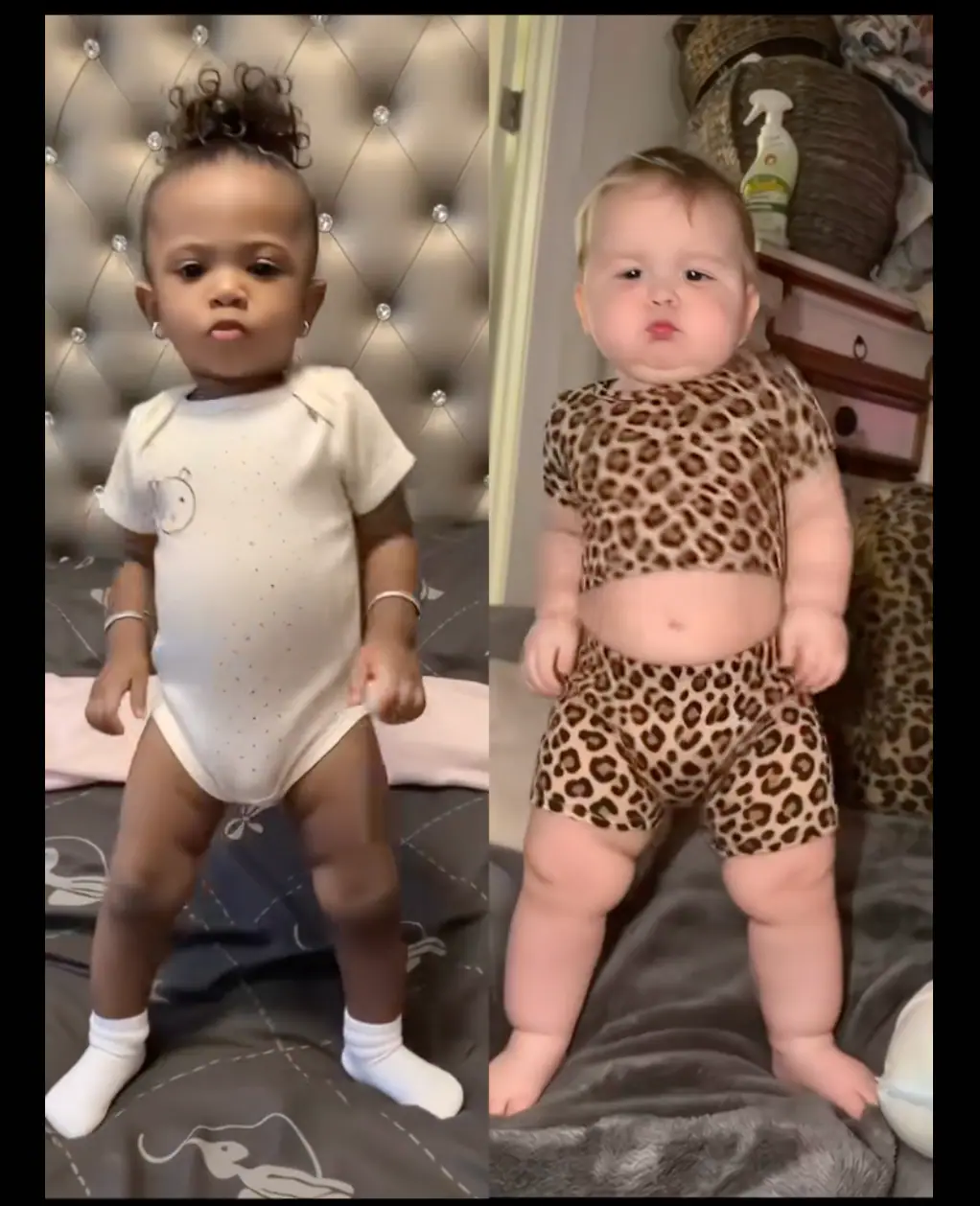
Two baby dance references in a cream onesie and leopard print outfit

How to make a Fuzzy Dream dance from a photo

Use the Fuzzy Dream effect selected above. These three steps take you from choosing a dancer to reviewing a clip, with the photo doing the work that would otherwise require a camera and rehearsal.

  1. Add one clear photo

    Sign in when the photo picker asks, then choose one clear picture of the intended subject. For a baby photo, use an image you are entitled to use as their parent or guardian. The counter should read 1 / 1. Check the local preview for a visible face and a complete outfit. Replace or crop the image if the subject is too small or another person takes up most of the frame.

  2. Choose a frame for the dance

    Open Aspect Ratio and choose 9:16 for a vertical post, 16:9 for a landscape edit, or 1:1 for a square layout. Resolution offers 720p and 480p. Begin with the default 9:16 and 720p for a phone post. Keep the head, hands and feet inside the intended frame, with a little room around the body. A later crop should not remove the gestures that give the dance its character.

  3. Generate and watch the whole clip

    Check Required Credits beside the Generate button before continuing. When a finished clip is available, watch it once for the rhythm and again for the face, hands and feet. Look for a clear expression and a consistent outfit throughout the movement. Preview the whole clip at normal speed before choosing the version to share. A strong still frame is useful for a cover, but it cannot show whether the movement stays coherent from beginning to end.

The Fuzzy Dream baby dance look

A calm little face and an unexpected dance make the contrast. Use the examples below to plan the subject, outfit and framing of your own Fuzzy Dream version.

A familiar face in a full body frame

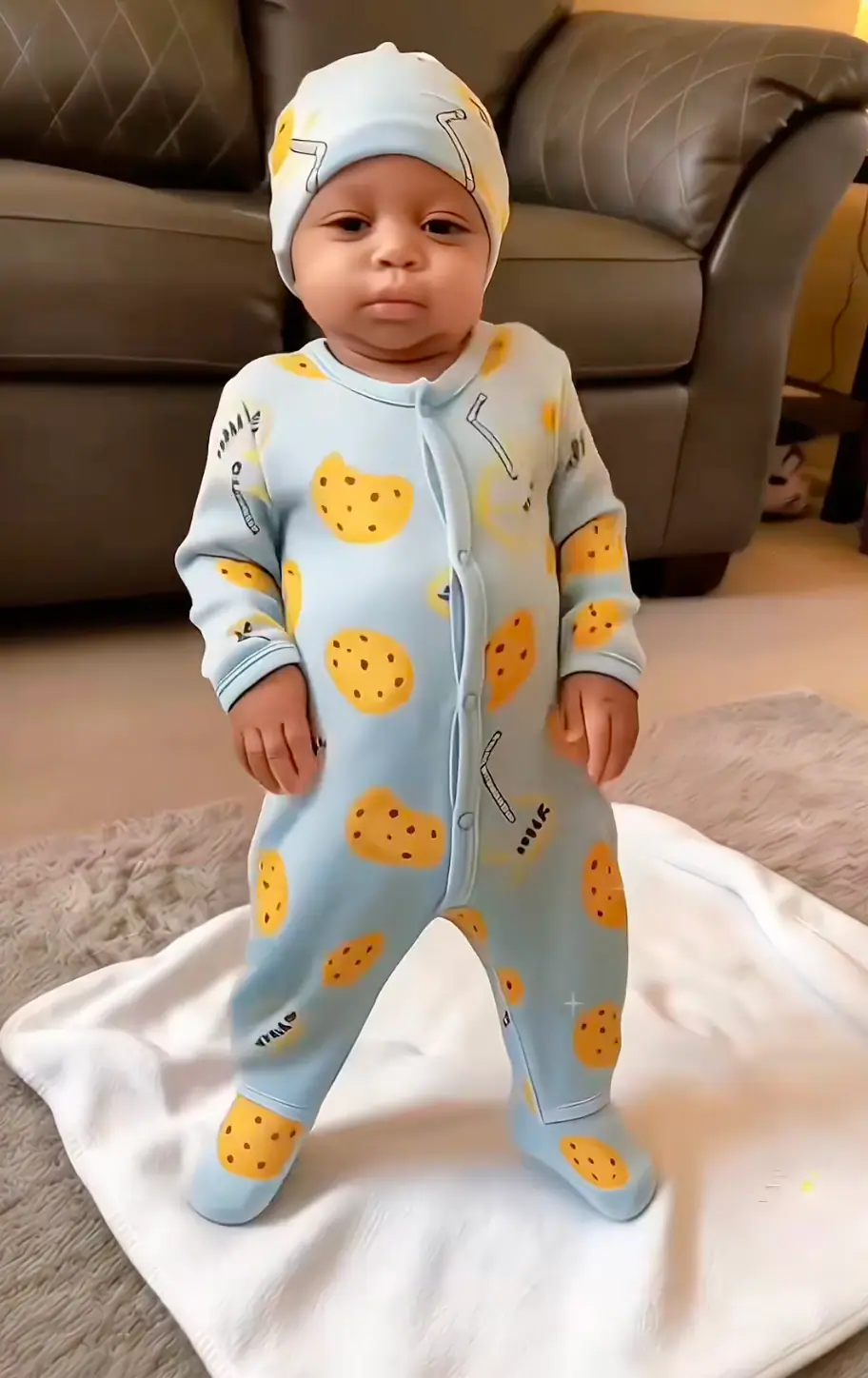
The blue onesie example keeps the face, outfit and feet together in one simple portrait. That is a useful way to prepare a source photo: the subject is easy to recognize, and the body does not disappear below a tight crop. Choose soft, even light and keep the face unobstructed. You do not need an elaborate set or a staged dance pose. A familiar room and a clear outfit are enough to establish the character of the image. Leave some space at the sides so the arms can remain readable when the pose changes.
Pick a full body photo
Baby in a blue cookie print onesie standing on a white blanket

Small expressions, playful dance energy

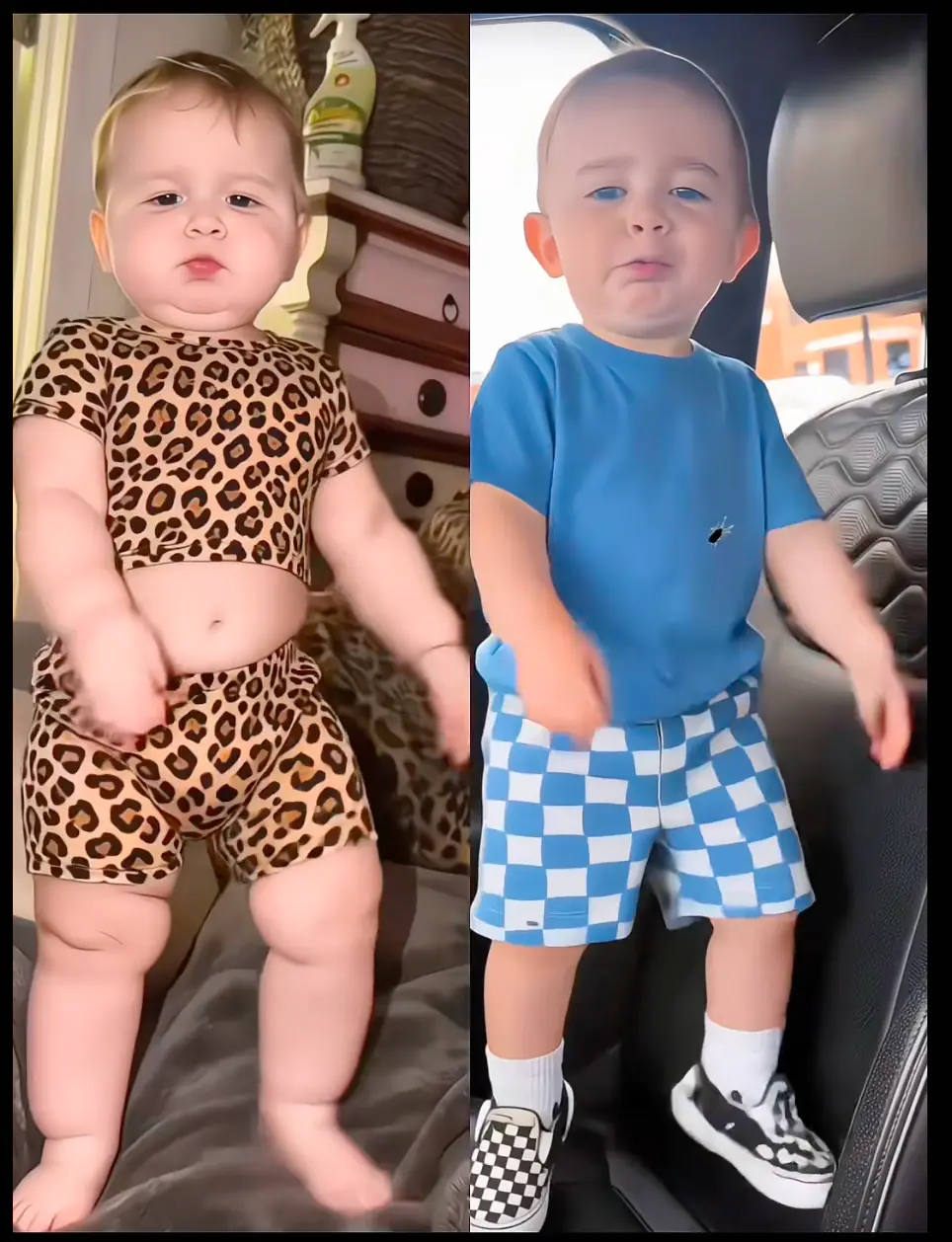
The side by side references pair serious little expressions with colourful everyday outfits. That contrast is central to the appeal of this baby dance style: the face can look completely unbothered while the movement supplies the joke. Choose a picture with a clear expression, then keep any caption short enough that viewers can still see the subject. For a family group chat, try a simple setup about the moment a favourite song starts. For a vertical post, let the face introduce the character before the dance becomes the focus. Keep the text above or below the hands.

Choose my baby dance photo
Side by side baby dance references with leopard print and blue checked outfits

Keep the outfit and gestures easy to see

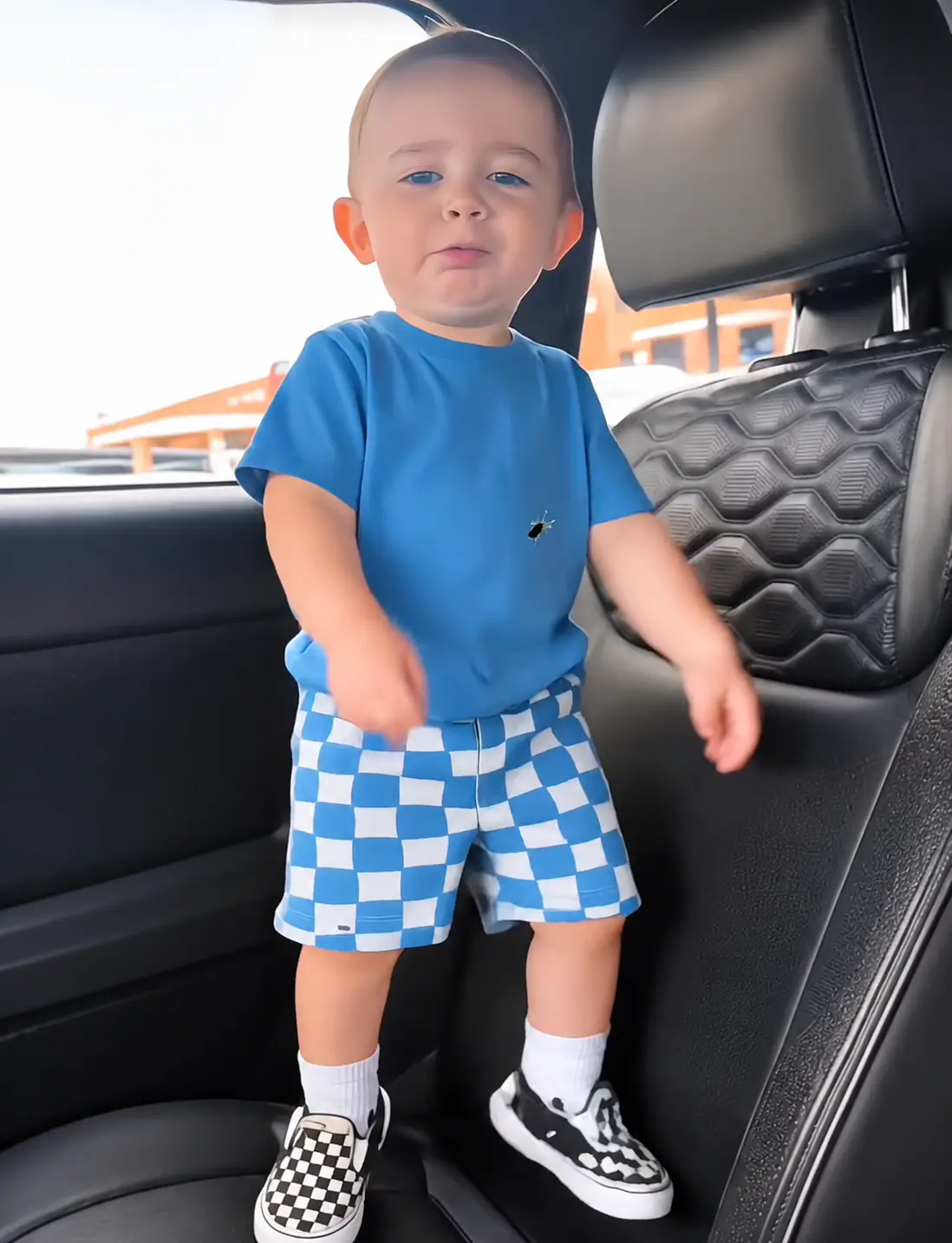
The blue shirt and checked shorts detail shows how a simple colour contrast can keep a small figure readable. When planning a vertical video, give the head enough space above it and keep the shoes visible below. Avoid placing a large caption over the hands or the middle of the body. Preview your edit on a phone, where a busy background can compete with the face more than it does on a desktop. Choose a cover where the eyes and outfit are easy to distinguish. Leave the important details away from the edges, where a publishing app may place its own controls.

Set up my dance frame
Baby dance styling detail with a blue shirt and checked shorts

Before you start your Fuzzy Dream video

Four practical choices to settle before submitting your photo, so the effect and the way you plan to share it stay aligned.

One dancer per run

This page has one image slot for one subject. Select a solo picture with a clear face, then check the preview before setting the frame. Keep the original file available so you can replace the selection if you decide a wider crop would suit the dance better.

No choreography prompt to write

The selected effect supplies the dance direction. Your decisions here are the image, aspect ratio and resolution. You do not have to name a model, supply a motion reference video or translate the Skeur movements into a long text prompt.

Read the credit display first

Review Required Credits in the workbench alongside your account balance before starting. Choose the photo and settings first so you can review the whole setup together. If you change your planned resolution, check the displayed requirement again before continuing with that version.

Choose your soundtrack separately

If you want a particular trend sound, choose an available track in the platform where you will publish and check its permitted use there. Preview the bounce against the beat before posting. A dance effect name does not give you music rights.

Fuzzy Dream Dance AI questions

Answers for choosing this effect, preparing a usable photo and understanding what to check before sharing your version.

Fuzzy Dream is the dance trend associated with the Skeur bounce. The baby versions use small full body figures and expressive little faces to give that dance a playful contrast. The dance theme centres on a rhythmic bounce and arm gestures, while the calm expression makes the movement funnier. When choosing a photo for this version, favour a face that remains easy to read within a full body frame.

Baby photos are the intended visual direction of this page. Choose one clear image you can use as the parent or guardian, preferably with the whole body visible. You do not need to make a child perform the dance for a camera. For the source picture, look for even lighting, an unobstructed face and a body that is easy to separate from the background. A simple existing portrait is a useful place to start.

Your photo, the Fuzzy Dream bounce

Choose a clear photo, keep the little expression in view, and prepare your own Fuzzy Dream baby dance. Return to the workbench above to add one image, choose your aspect ratio and resolution, and review the setup for your Skeur dance version.