
Gemini Omni 1.2 Flash vs MiniMax H3 vs Seedance 2.5: Which AI Video Model Is Best?
Compare Gemini Omni 1.2 Flash, MiniMax H3, and Seedance 2.5 in AI video generation. Explore video quality, motion, consistency, speed, pricing, and real-world results.
You have a product photograph and a ten-second ad to make. Or a character reference that needs a convincing performance. Or a short story that takes thirty seconds to reach its payoff. The best AI video model depends on which of those jobs you are trying to finish.
That is where choosing between Gemini Omni 1.2 Flash, MiniMax H3, and Seedance 2.5 becomes interesting. Each offers a different reason to start with it: short video iteration, flexible reference control, or a longer stretch of storytelling.
Our starting picks: Gemini Omni 1.2 Flash for short reference-led ads, MiniMax H3 for economical detail-focused experiments, and Seedance 2.5 for scenes that need 20–30 seconds. These recommendations follow the published capabilities and prices below.
This review uses official demonstrations and public specifications checked on November 6, 2026. The demonstrations use different creative briefs; the shared-image tests later in the article give you a consistent way to compare your own results.
Gemini Omni 1.2 Flash: Is It Really That Good?
For creators turning existing artwork, product photographs, or character references into short videos, Gemini Omni 1.2 Flash has a compelling brief. Google's launch announcement introduces 15-second generation, improved reference following, and conversational editing that lets a creator revise an existing clip.
Those features address different parts of the same job. References establish what should appear. A longer clip gives the action room to finish. Editing gives you a way to change an aspect of a scene while retaining the underlying idea.
The strongest reason to try it is therefore quite specific: you already know what your subject should look like, and you want to explore how that subject moves, sounds, and appears on camera.
Think of a ten-second product reveal. The useful questions are whether the packaging remains recognizable, whether the requested camera move happens, and whether the closing frame gives you a clean place to cut. Those are better selection criteria than a general claim that one model makes the most cinematic video.
Gemini Omni 1.2 Flash vs MiniMax H3 vs Seedance 2.5
Here is the practical difference in their documented workflows.
| Model | First task to try | Relevant distinction |
|---|---|---|
| Gemini Omni 1.2 Flash | A short branded scene built around existing visual references | 3–15-second clips; first-and-last-frame interpolation up to 10 seconds |
| MiniMax H3 | A product, character, or performance shot with several reference inputs | 4–15-second clips; separate frame-guided and multimodal reference workflows |
| Seedance 2.5 | A scene with an opening, several actions, and a payoff | Up to 30 seconds in one generation, plus reference-led creation and editing |
Gemini Omni 1.2 Flash: start with a tightly directed short
The Replicate model listing documents text generation, an opening image, first and last frames, and up to six reference images. Frame inputs and reference images are separate modes. It also supports editing an existing video through that provider's API.
For an image-to-video comparison, start with the opening-image mode. It keeps the comparison focused on what each model does with the same composition. Use multiple references later, when you want to evaluate how well a model combines a particular person, product, and setting.
MiniMax H3: give each reference a job
MiniMax's H3 system guide separates first-and-last-frame generation from omni-reference generation. The latter accepts up to nine images, three video clips, and three audio clips, with a combined limit of twelve files.
This makes H3 worth trying when a brief draws on several kinds of material: a character image for appearance, a clip for movement, and audio for a performance. Those are model-level capabilities; available inputs depend on the application you use.

The diagram also explains H3's resolution workflow: a 768p base result feeds a separate 2K regeneration stage together with the original context.
Seedance 2.5: plan a sequence of events
The clearest reason to choose Seedance 2.5 is its longer generation window. A thirty-second scene can accommodate an arrival, an interaction, and a reveal within the same creative brief.
That is useful for miniature stories, performance scenes, and product demonstrations where the audience needs to see something happen in order. Write the sequence before choosing the duration: what changes at the beginning, in the middle, and at the end?
Image-to-Video Quality Comparison
For image to video, judge quality in three passes: what stays recognizable, what changes over time, and what remains detailed when the video moves.
Look at the subject's defining details
For a product, that could be the label, cap, silhouette, and material. For a person, it could be the face, hairstyle, earrings, and clothing. Choose three details before you watch the result so that an attractive background does not distract from the actual brief.
The poster animation below provides a useful inspection exercise. Follow individual letterforms and surfaces through the movement, then pause near the ending. Does the moving design still resolve into the intended arrangement?
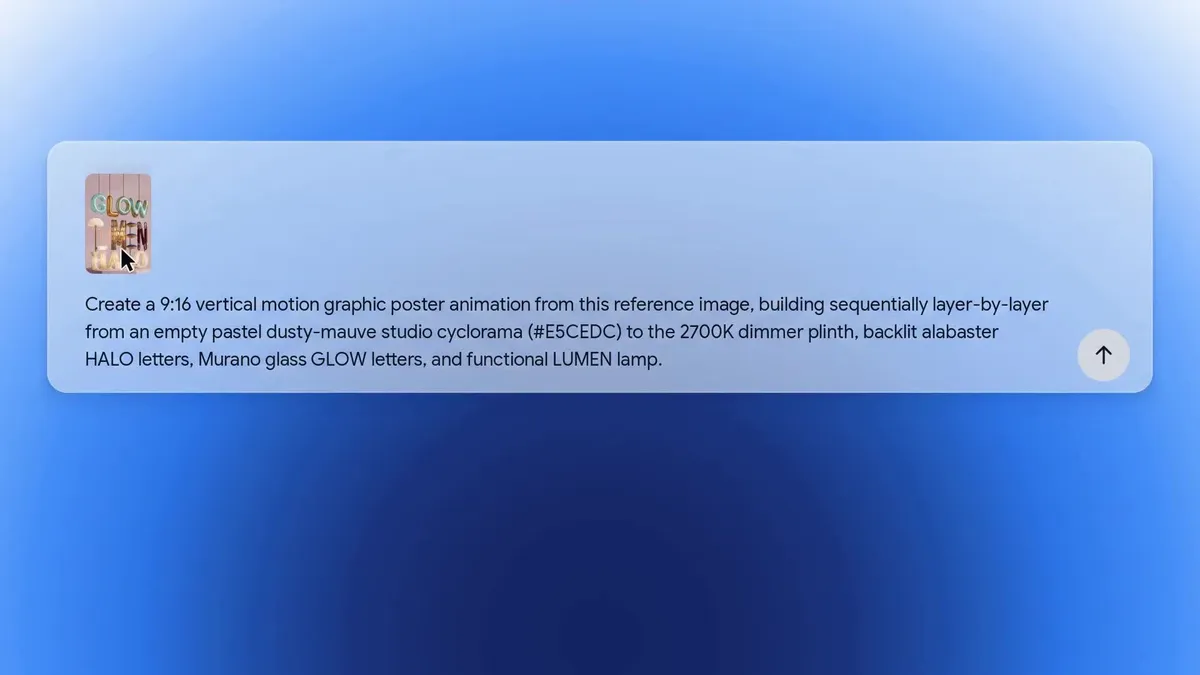
This launch example compares Gemini Omni 1.2 Flash with 1.1 using the same poster brief. It illustrates the version update, rather than a comparison with H3 or Seedance.
Separate resolution from preserved detail
Gemini Omni 1.2 Flash's provider listing identifies 1080p and 4K as upscaled output. H3's documented 2K workflow regenerates a lower-resolution result using the original context. These are different routes to a larger output frame.
For a useful visual comparison, watch both the original files and copies displayed at the same size. Inspect small text, fabric edges, reflections, and faces while they move. A sharp opening frame answers a different question from a label that stays legible throughout a camera orbit.
For Seedance, inspect the same details across the full sequence. If the camera changes angle or the scene progresses, compare the subject before and after that transition.
Motion, Character Consistency & Prompt Accuracy
These three qualities overlap, but they deserve separate attention. Motion asks whether the action makes sense. Consistency asks whether the subject stays recognizable. Prompt accuracy asks whether the requested action actually happens.
Character consistency: watch the turn
The Gemini virtual try-on demonstration makes turns and clothing changes the center of the shot. Use it to study identity, garment shape, and the relationship between the front and back of an outfit.
For your own character test, ask for a modest head turn or a few steps before adding rapid movement. That gives you a clear view of whether the face and clothing remain coherent as the viewing angle changes.
Reference control: separate appearance, movement, and sound
MiniMax's H3 launch demonstration combines a reference image, a camera-movement clip, and an audio reference. The brief assigns each input a different responsibility.

This is a useful way to evaluate prompt accuracy. First check the subject against the image. Then check the camera move against its reference. Finally, listen to the performance. A model can satisfy one part of a complex brief more closely than another, and separating the instructions makes the next revision easier to write.
Longer motion: watch how the scene reaches its ending
In the Seedance 2.5 launch examples, a singer's backstage preparation develops into an onstage performance. The camera follows a sequence of locations and interactions.
For a similar brief, watch the handoff moments: an object changes hands, the subject crosses a doorway, or the camera moves behind someone. Then check whether the final action receives enough screen time. This is where a longer generation window can serve the story.
Same Prompt, Different Results: Three Video Tests to Run
The demonstrations above show different capabilities. To compare the models directly, give each one the same starting image and the same prompt for each test.
Use a 16:9 image, a ten-second duration, and one opening frame. Choose 720p for Gemini Omni and Seedance, and H3's 768p base setting. Keep the original files for detail checks; view all three at the same display size for motion and composition. Leave extra references and end frames out of this first round.
Run each brief three times per model: three briefs × three models × three attempts = 27 clips. Keep every result and record any exposed seed or prompt-enhancement setting. If a provider processes prompts internally, record that workflow rather than assuming identical text produces identical processing.
Test 1: product detail under camera movement
Starting image: one bottle or package with a clearly readable label.
One continuous product shot. The camera makes a slow clockwise quarter-orbit around the product while it remains still on the table. A soft highlight travels across its surface. Preserve the product's shape, label lettering, colors, and cap. Finish on a steady view of the product. No cuts, no added objects, no dialogue, no music.
Compare the label at the opening, midpoint, and ending. Also check whether the camera orbits the product as requested, rather than making the product rotate.
Test 2: character identity through an everyday action
Starting image: a person seated at a table beside a window, with a cup within reach.
One continuous medium shot. The person looks toward the window, turns back, picks up the cup with one hand, and holds it near their chest. The camera gently pushes closer. Preserve the face, hairstyle, clothing, and cup design from the opening image. Natural room ambience, no dialogue, no music, no cuts.
Check the face during the turn, the hand-to-cup contact, and whether the actions happen in order. A smooth camera move and a correct grasp are separate achievements.
Test 3: prompt accuracy with a beginning and an ending
Starting image: a closed pastry box on a counter, with a person's hands visible nearby.
One continuous close shot. The hands slide the box into the center of the frame, lift the lid, and reveal the pastries inside. The camera slowly moves forward, then settles on the open box for the final two seconds. Keep the counter, box material, and lighting consistent. No cuts, no dialogue, no music.
Score each result from 1 to 5 for subject fidelity, motion, instruction following, and suitability for the intended edit. Mark the clip usable only if it meets the brief. Compare the typical result across all three attempts as well as the best take.
After this common ten-second round, give Seedance a separate 30-second narrative brief. That evaluates its longer-form capability without mixing a duration advantage into the shared test.
Generation Speed & Cost Comparison
The price of a useful clip depends on resolution, duration, provider, and the number of attempts you keep. These public API rates provide a concrete starting point.
| Model and access route | Output setting | Published rate per output second | Calculated cost for 10 seconds |
|---|---|---|---|
| Gemini Omni 1.2 Flash via Replicate | 720p | $0.105 | $1.05 |
| MiniMax H3 via Kie | 768p | $0.040 | $0.40 |
| MiniMax H3 via Kie | 2K | $0.065 | $0.65 |
| Seedance 2.5 via Kie | 720p, text or image input | $0.315 | $3.15 |
Rates checked November 6, 2026, in USD. The Gemini rate is from the Replicate listing linked above; Kie's H3 pricing and Seedance 2.5 pricing provide the other rates. Calculations assume ten billed output seconds, no video input, and one starting image. They exclude taxes and account-specific discounts. H3's base resolution is 768p, so these are practical access options rather than identical pixel counts.
Google separately announced a direct 720p rate of $0.07 per second. That is a different access route from Replicate's $0.105 rate. A hosted generator's credit price is another price again; use the quote shown for the service where you plan to generate.
On the listed routes, H3 has the lowest per-attempt price. The 27-clip test described above would have a calculated generation subtotal of $41.40 using H3 at 768p: nine Gemini clips at $1.05, nine H3 clips at $0.40, and nine Seedance clips at $3.15.
For production, also track:
Cost per usable clip = total generation spend / clips that meet the brief
For example, six hypothetical $0.40 attempts producing two usable clips cost $1.20 per usable clip. That calculation makes the quality-versus-cost decision specific to your workload.
How to compare generation speed
Replicate publishes one Gemini Omni 1.2 Flash example that completed a 15-second, 720p text-to-video request in approximately 62.4 seconds from creation to completion. It is a useful individual timing example, rather than a three-model speed ranking.
For your own comparison, time submission to a playable result. Record queue time where available, keep clip length and resolution consistent with the test settings, and compare the median across repeated runs. For a production deadline, include the time spent generating replacement takes and downloading the chosen result.
Which Model Should You Choose?
Start with Gemini Omni 1.2 Flash when the job is a short, reference-led video. A product reveal, fashion variation, or character scene is a sensible first brief. Use the product label, garment, or face as the detail that decides whether a take works.
Start with MiniMax H3 when you want to explore several directed takes at the quoted lower API cost. Its frame and reference workflows also make it a useful candidate for briefs that assign distinct roles to different inputs. Include a 2K run when final delivery detail matters.
Start with Seedance 2.5 when the idea needs a longer sequence. A backstage arrival, product unboxing, or short narrative benefits from enough time to establish the scene, complete the action, and hold the ending.
To put that choice into practice, VidFomo's AI Video Generator provides a Studio for text-led and image-led video creation, with the selected model's settings and required credits shown before generation. Use one of the briefs above as your starting point, then change one instruction at a time.
For a focused comparison, the MiniMax H3 workbench offers text, frame, and image-reference workflows. The Seedance 2.5 workbench supports text and image guidance with durations up to 30 seconds. These are useful places to test whether your shot calls for a tightly controlled moment or a fuller sequence.
Choose the model that carries your subject and action through to the closing frame. That is the result you can build an edit around.
FAQ About Gemini Omni 1.2 Flash
What is Gemini Omni 1.2 Flash?
It is Google's video generation and editing model introduced on November 5, 2026. It creates short videos with audio and supports reference-led generation and editing workflows.
Is Gemini Omni 1.2 Flash better than MiniMax H3?
For a short reference-led ad, Gemini Omni 1.2 Flash is a sensible starting pick. H3 is attractive for its multimodal reference workflow and lower quoted per-second prices on the hosted routes compared here. Use the same product or character image to decide which produces more usable takes for your brief.
Is Seedance 2.5 better for longer videos?
Its documented single-generation window reaches 30 seconds, compared with 15 seconds for Gemini Omni 1.2 Flash and H3. Choose it first when the scene needs that extra time for multiple connected actions.
Does Gemini Omni 1.2 Flash support image to video?
Yes. The documented Replicate interface accepts a starting image. It also offers separate reference-image guidance and first-and-last-frame interpolation; the latter supports up to ten seconds.
Does Gemini Omni 1.2 Flash generate native 4K video?
The provider listing describes 1080p and 4K as upscaled output. For a 4K delivery, inspect the moving subject and small details in the final file as well as its output dimensions.
Which of these models is cheapest?
For the public hosted rates in this article, H3 at 768p has the lowest listed price: $0.04 per output second. Your actual cost per usable clip also depends on retries, output settings, and the service you use.
What should I test first?
Use one image and a ten-second prompt with a single clear camera move. For a product, inspect the label. For a character, inspect the face during a turn. For a narrative, check whether the requested actions finish in order.